Five Public Data Sources, One Query Interface: SEC, Census, NPPES, FDIC and IRS on Data.co
SEC EDGAR, Census ACS, the NPI Registry, FDIC BankFind and IRS exempt-organization data are now on app.data.co: one query console, REST API and MCP tools, with provenance on every record.
Public data is free to download and expensive to use. The SEC, the Census Bureau, CMS, the FDIC and the IRS each publish valuable data, but each one has its own API (or no API at all), its own identifiers, its own rate limits, its own terms and its own quirks. Every team that wants to combine them ends up writing the same five integrations, then maintaining them.
Today we're opening the first piece of the Data.co federated data layer on app.data.co: five public sources behind one query interface, one REST API and one set of MCP tools, with provenance attached to every record.
What's live
- SEC EDGAR: company lookup by name, ticker or CIK; filing metadata; reported XBRL financial facts; and a small set of derived ratios that link back to the facts they were computed from.
- Census ACS 5-year (2024 vintage): population, income, poverty, housing, education and labor-force estimates for the U.S., states, counties, places, ZIP code tabulation areas and tracts, with margins of error.
- CMS NPPES: the NPI Registry for individual and organizational healthcare providers.
- FDIC BankFind: institutions, branches, quarterly financials and structure-change history for FDIC-insured banks.
- IRS exempt organizations: the IRS Exempt Organizations Business Master File, about two million organizations, searchable by EIN, name, location and NTEE code.
They're available in the app, over the REST API and through MCP, and they're included in every plan, including Free.
Federated first, copied only when necessary
Data.co doesn't download every dataset it lists. Most of these sources have good APIs, so a query goes to the source, through a gateway that enforces our rules, and comes back with provenance. Responses are cached where the terms allow it, so a repeated query doesn't hit the agency again. If a source goes down, recently cached data can be served with a clear warning instead of an error.
We keep a local index only when the source can't support the query. The IRS publishes its exempt-organization data as files rather than an API, so that one is indexed in Postgres and refreshed from the official files. Every IRS record carries the version of the file it came from.
A walk through the app
1. Find a dataset
The Explore page now has a Public data sources section. Each card shows the provider, what one record represents, whether your plan includes it, and its licensing status.
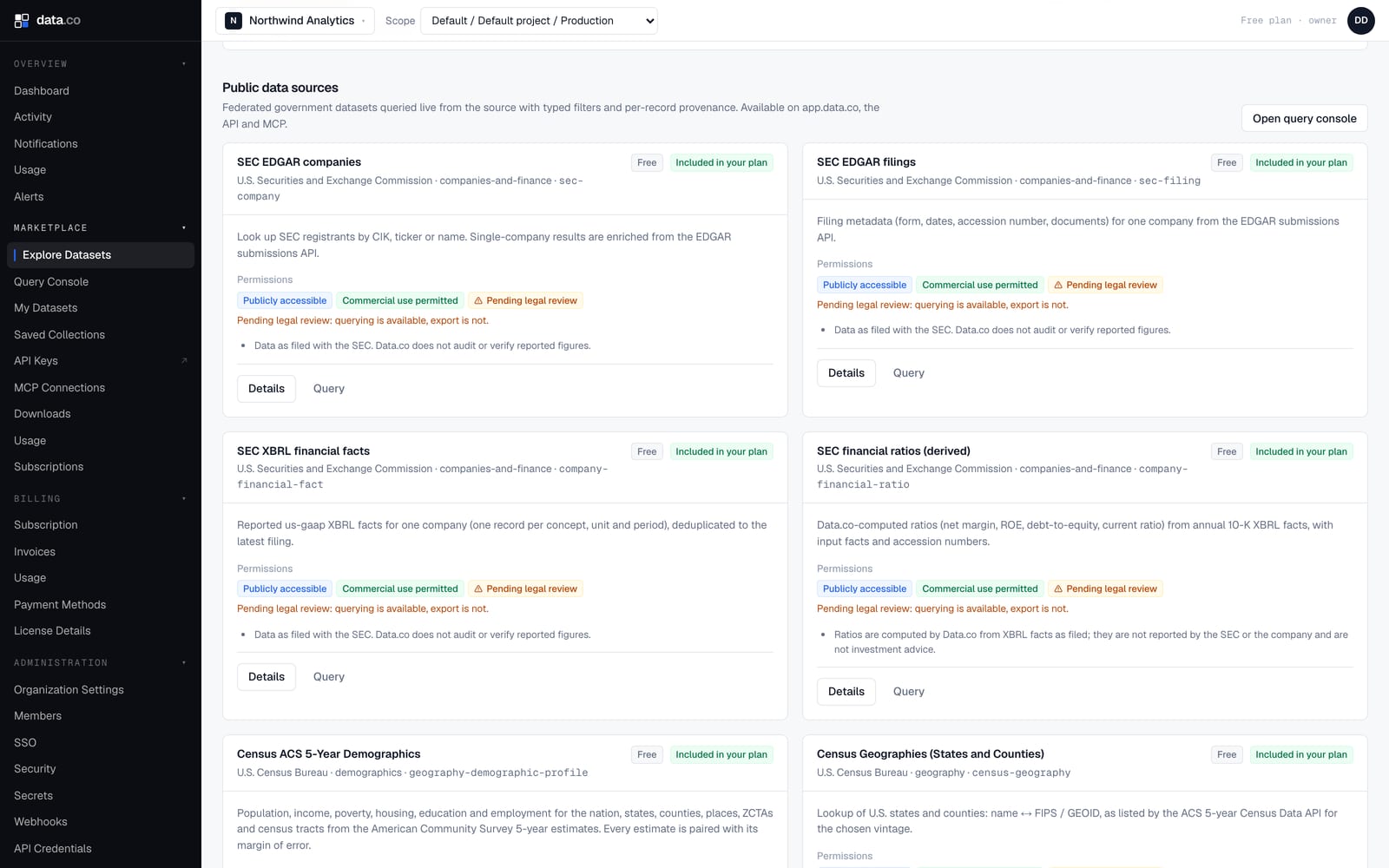
Those badges matter. Publicly accessible data isn't automatically free to redistribute, so every dataset carries an explicit permissions record. While a source's terms are under legal review, you can query it, but bulk export stays off. The card says so in plain language.
2. See exactly what a dataset accepts
Each dataset has a page with its sources, coverage, update frequency, field schema and, most usefully, its query capabilities. Those are the exact filters, operators and values the source can serve.
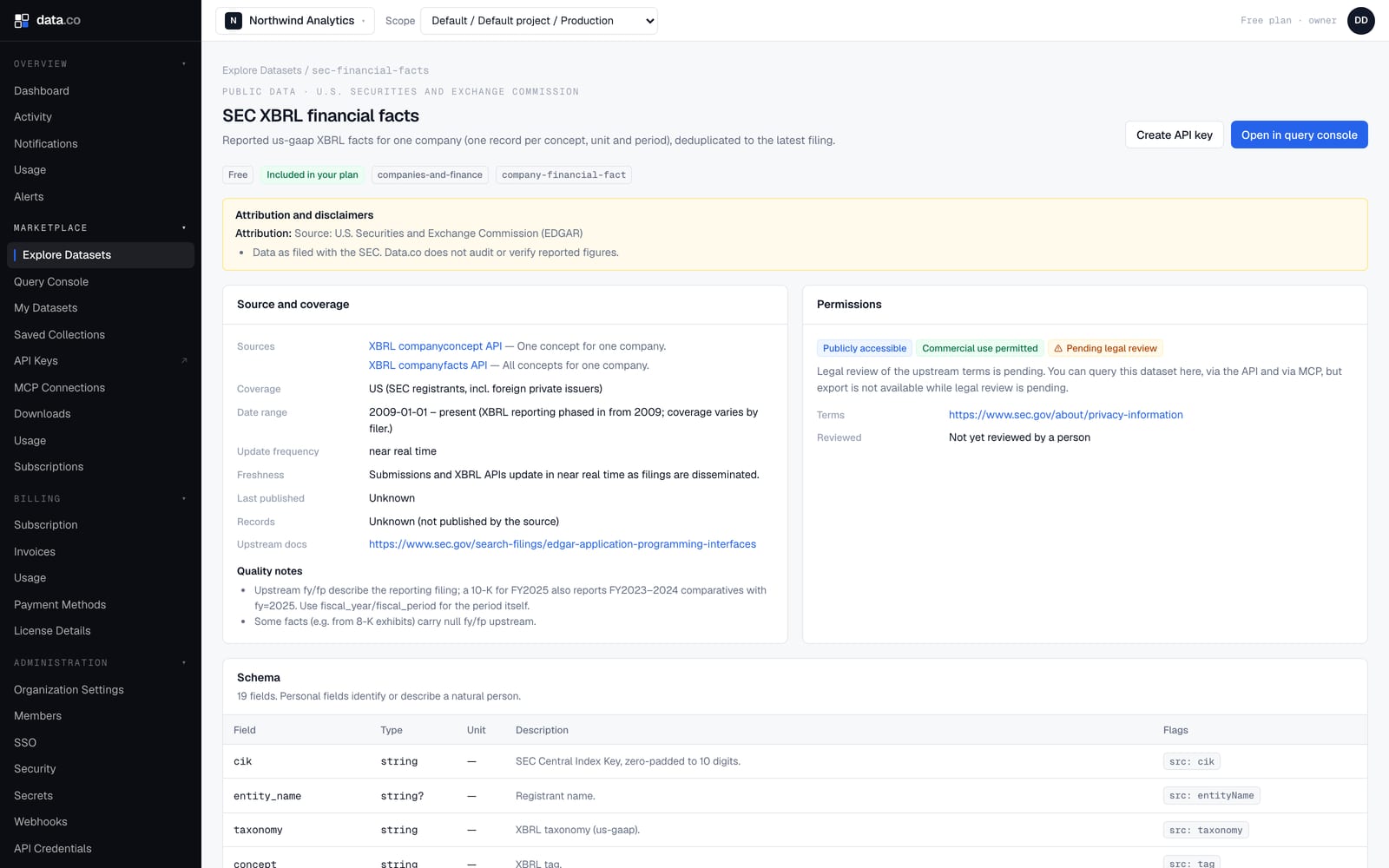
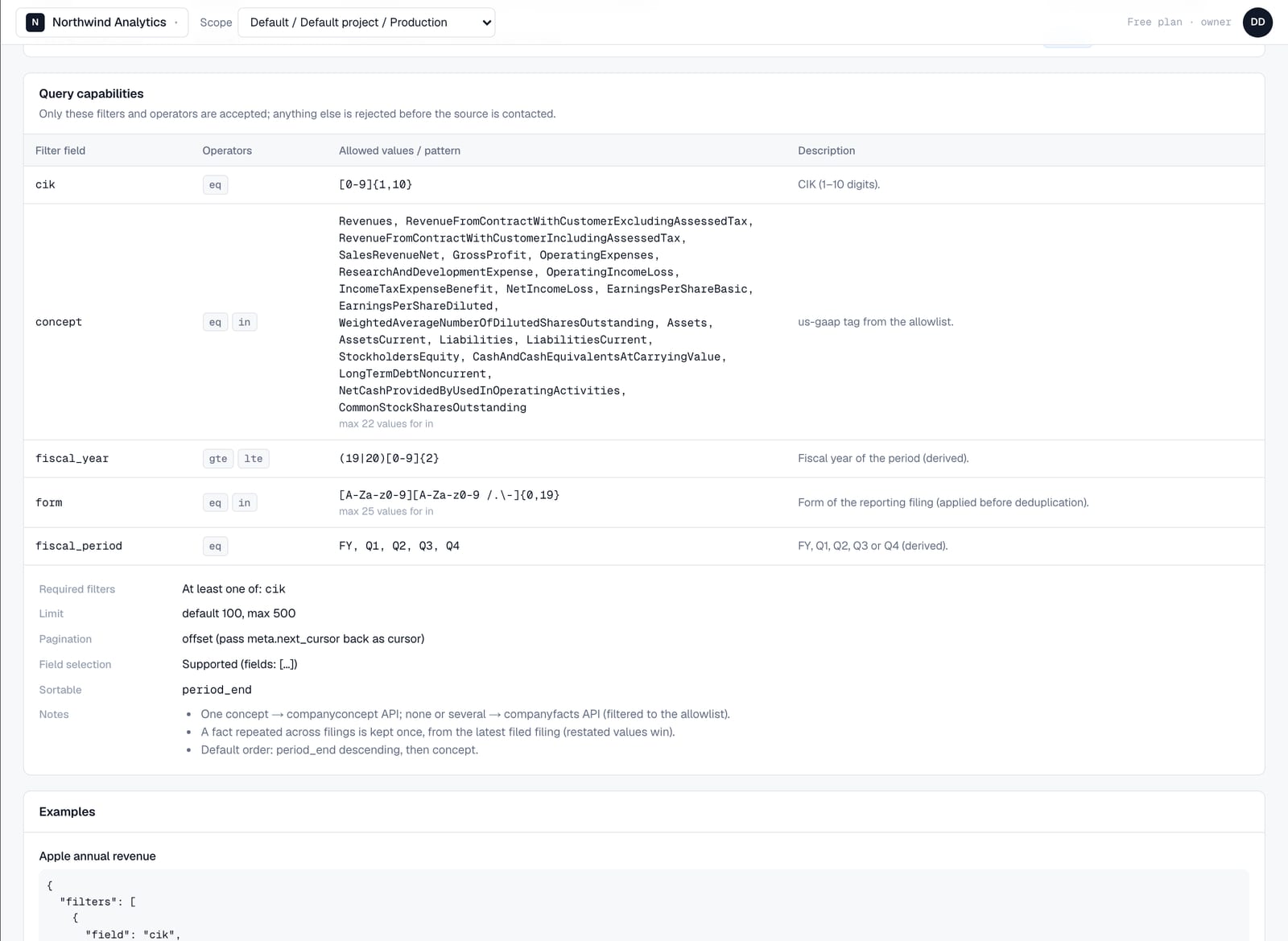
This is a deliberate design choice. Not every source supports arbitrary filters, sorting or joins, and pretending otherwise produces slow queries, silent truncation or a ban from the provider. Data.co validates every request against the declared capabilities first. A request for an unsupported filter comes back immediately as a 400 that lists the filters you can use, and nothing is sent upstream.
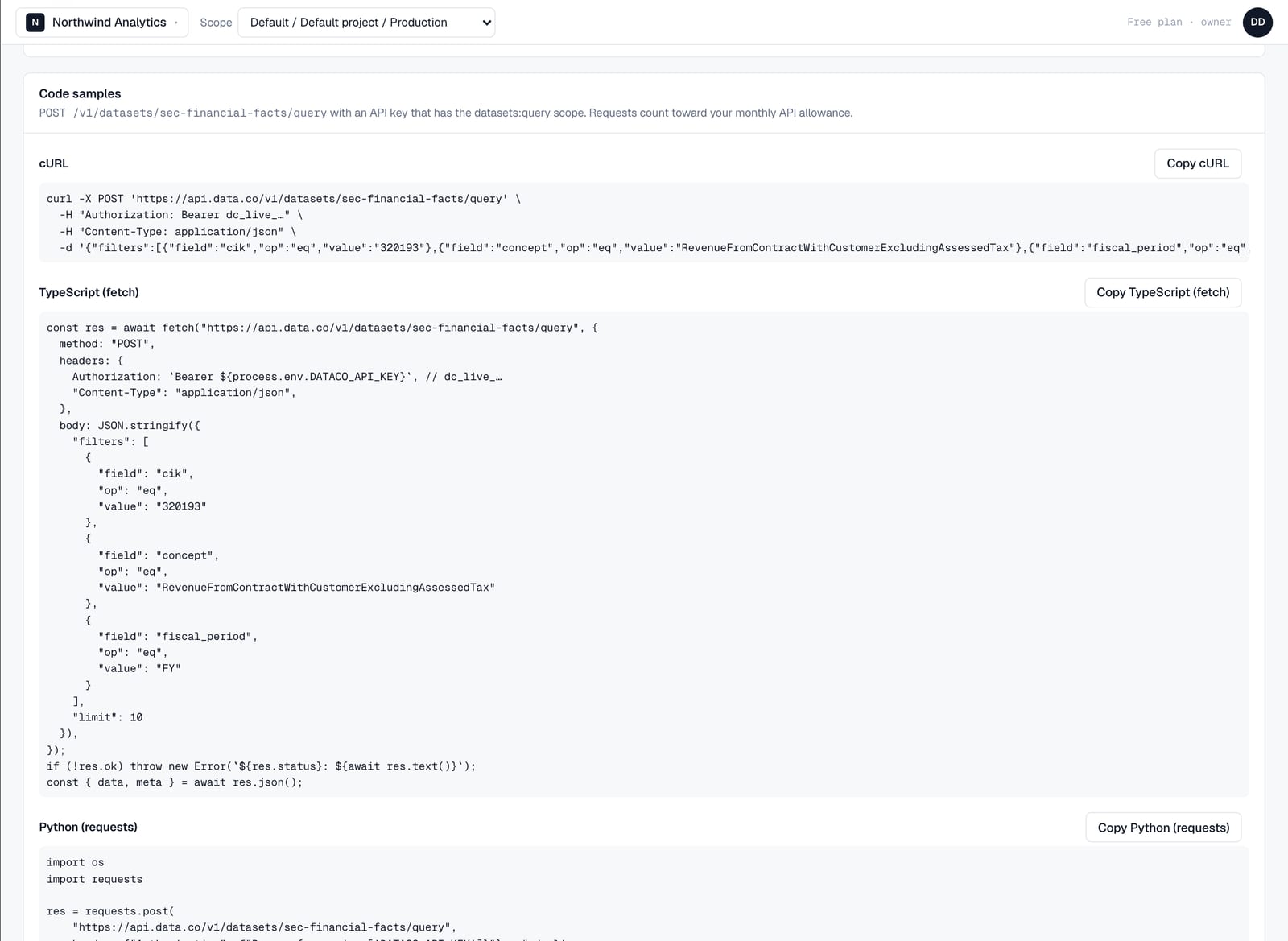
Every dataset page also generates ready-to-run code samples, built from a working example request.
3. Query it in the console
The new Query Console builds its filter rows from the same capabilities. You can only pick fields that are filterable and operators each field supports, and fields with a fixed set of codes become a dropdown.
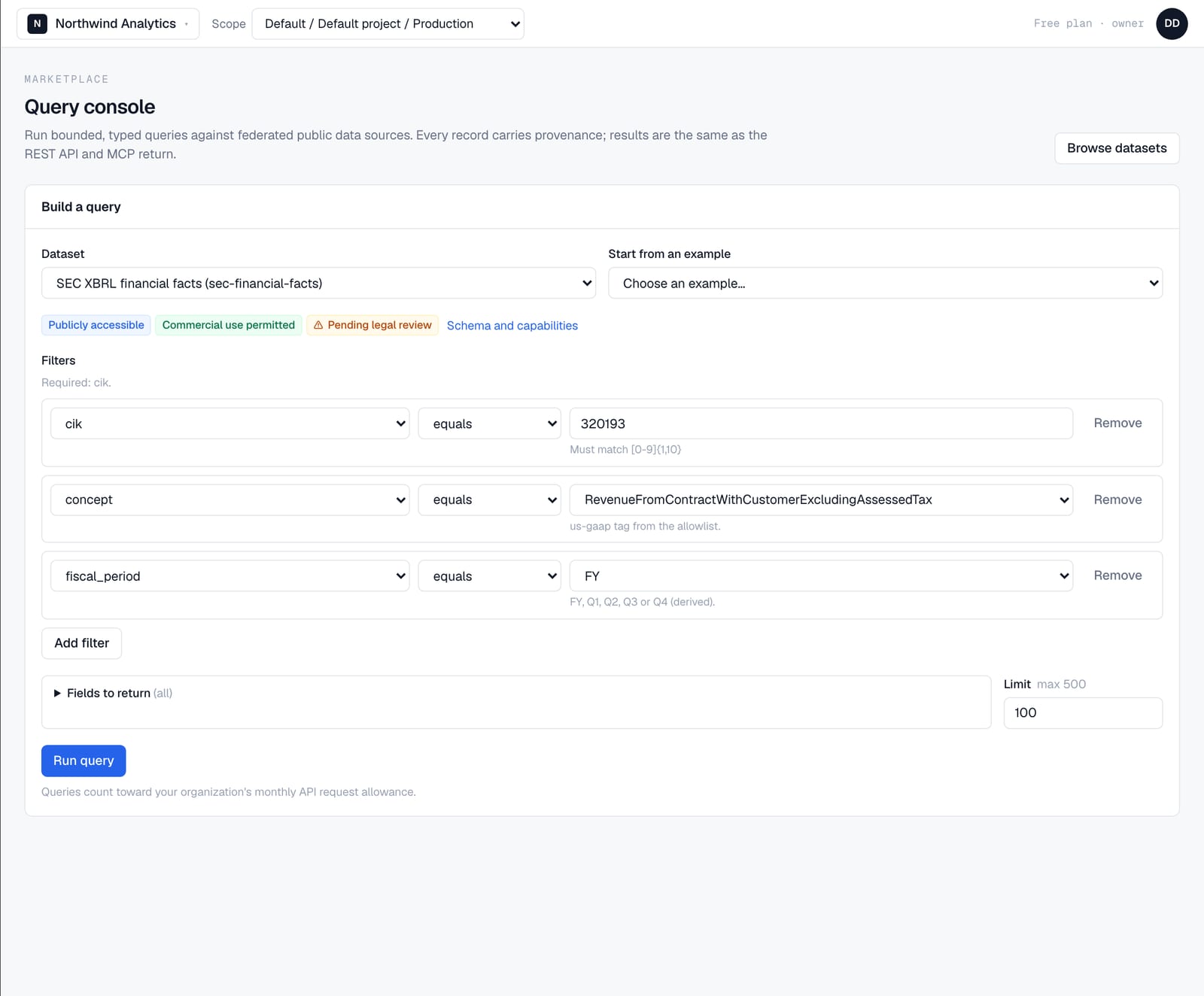
Here's what comes back for Apple's annual revenue: eight fiscal years from its 10-K filings, each with the accession number of the filing it came from.
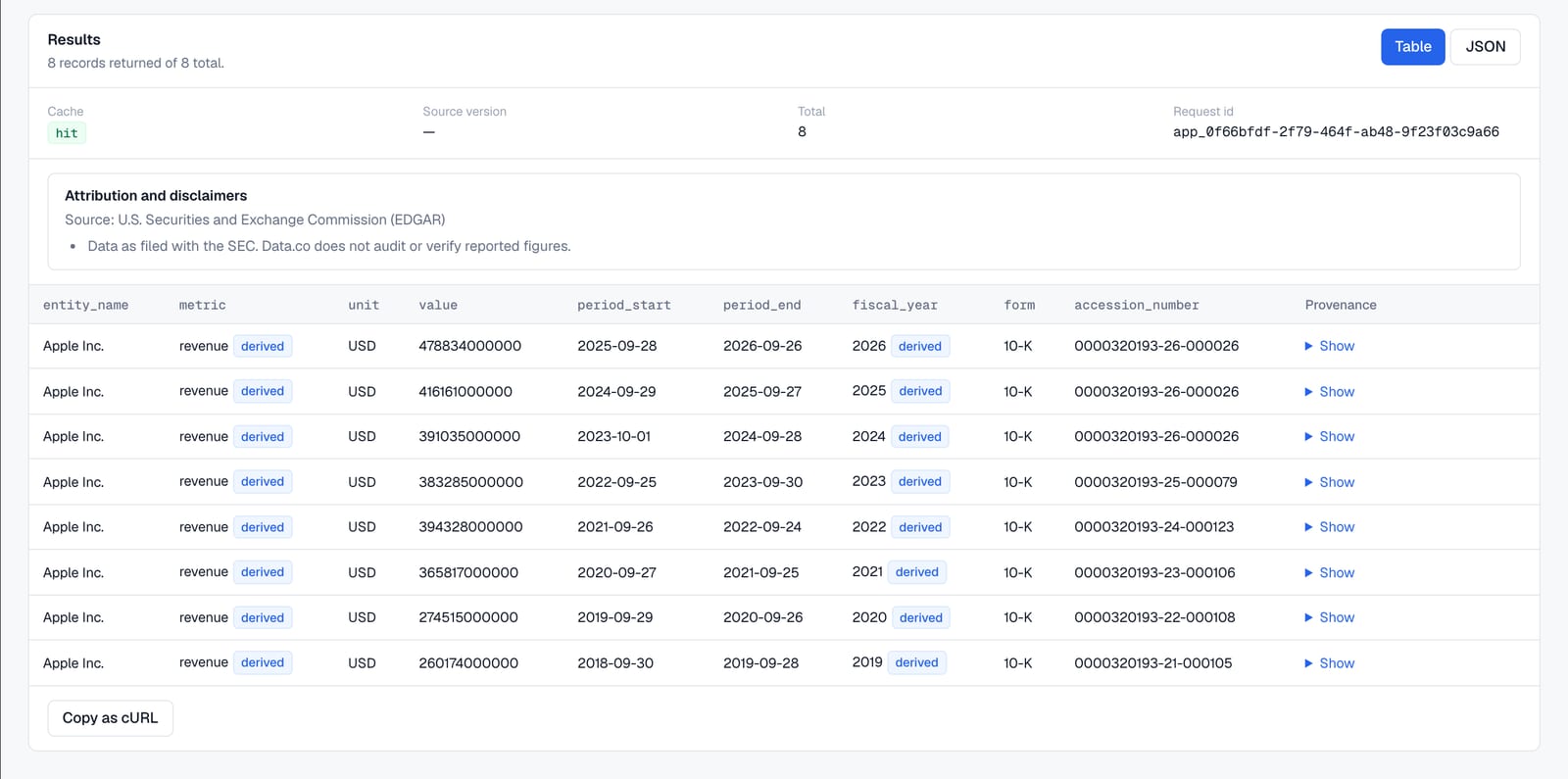
Some columns carry a derived badge. SEC filers report revenue under several different XBRL tags; Data.co maps them to one revenue metric so companies can be compared, and labels that mapping as ours rather than the SEC's. The same goes for fiscal year: the year the SEC attaches to a fact describes the filing, not the period, so we derive the period's fiscal year and mark it as derived.
4. Provenance on every record
Every record can be expanded to show where it came from: the exact upstream request, a link to the source's own page for that record, when Data.co retrieved it, and the license it was served under.
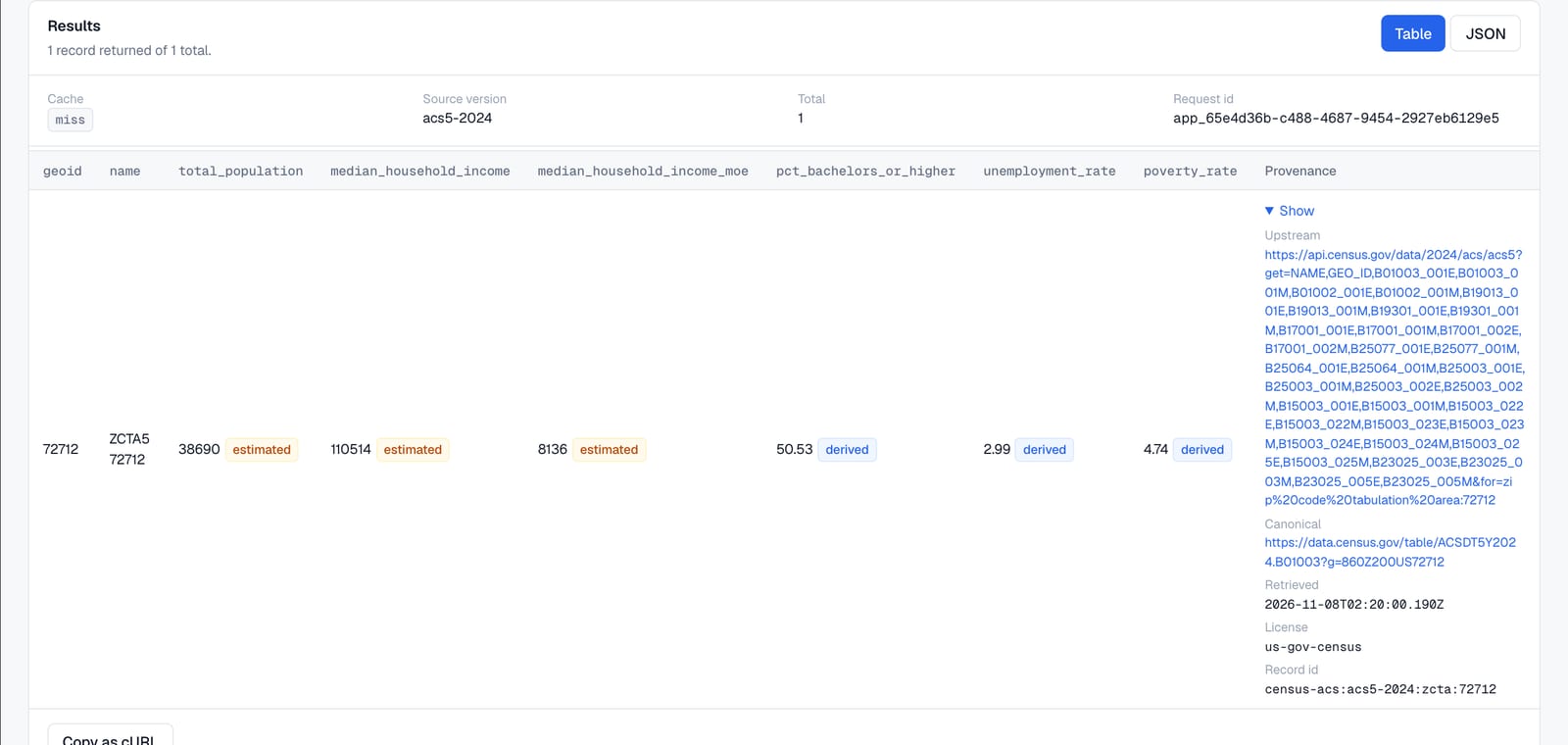
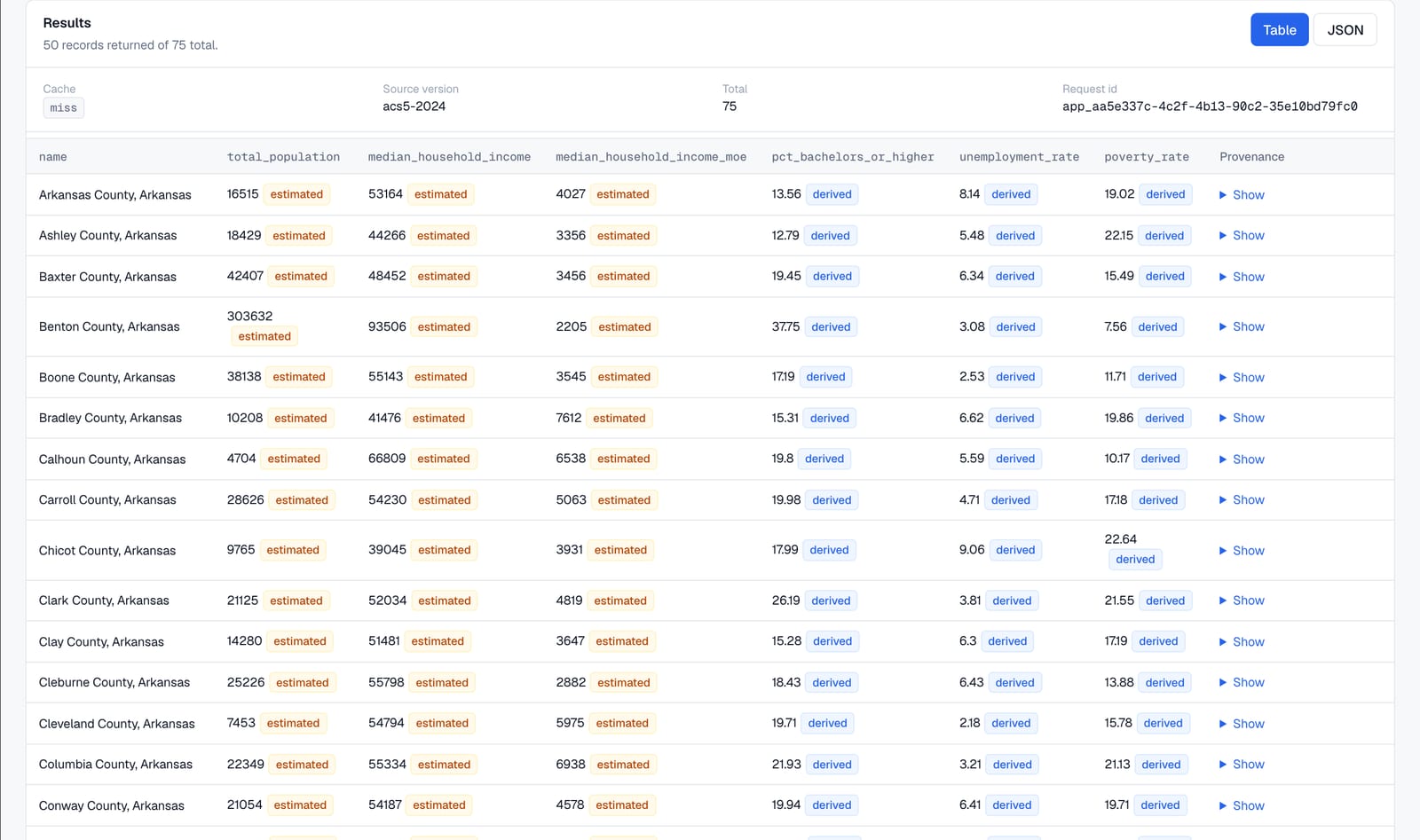
Survey data gets extra care. Census ACS figures are estimates, so every value is flagged as an estimate and comes with its margin of error. Rates we calculate, such as the unemployment rate and the share with a bachelor's degree, are flagged as derived. Sentinel codes the Census uses for "not available" become empty values instead of large negative numbers.
5. Banks, providers and nonprofits
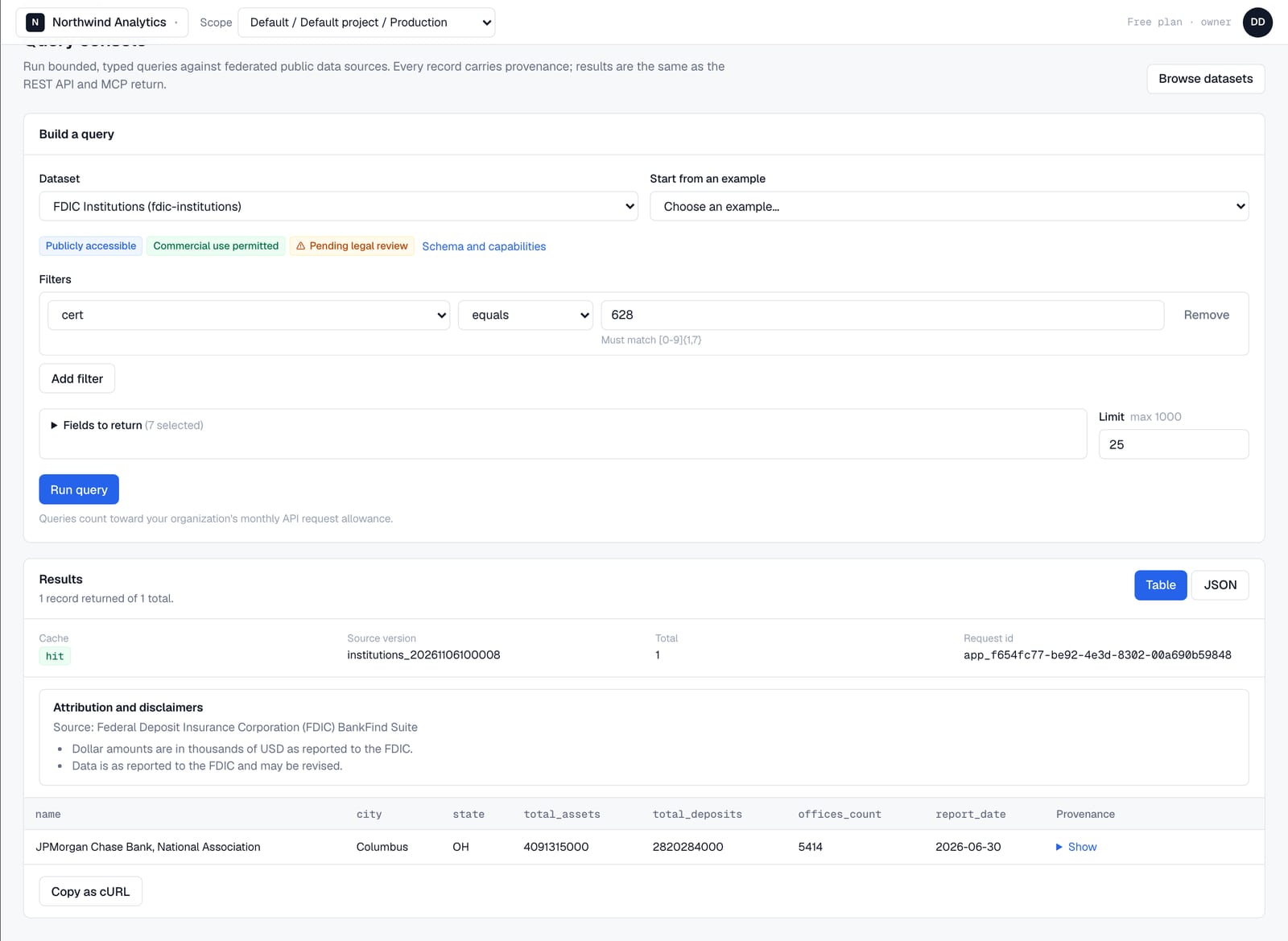
The same console, API and tools work across every source. FDIC records come with the FDIC's own reporting caveats, and dollar amounts are labeled as thousands, which is how the FDIC reports them.
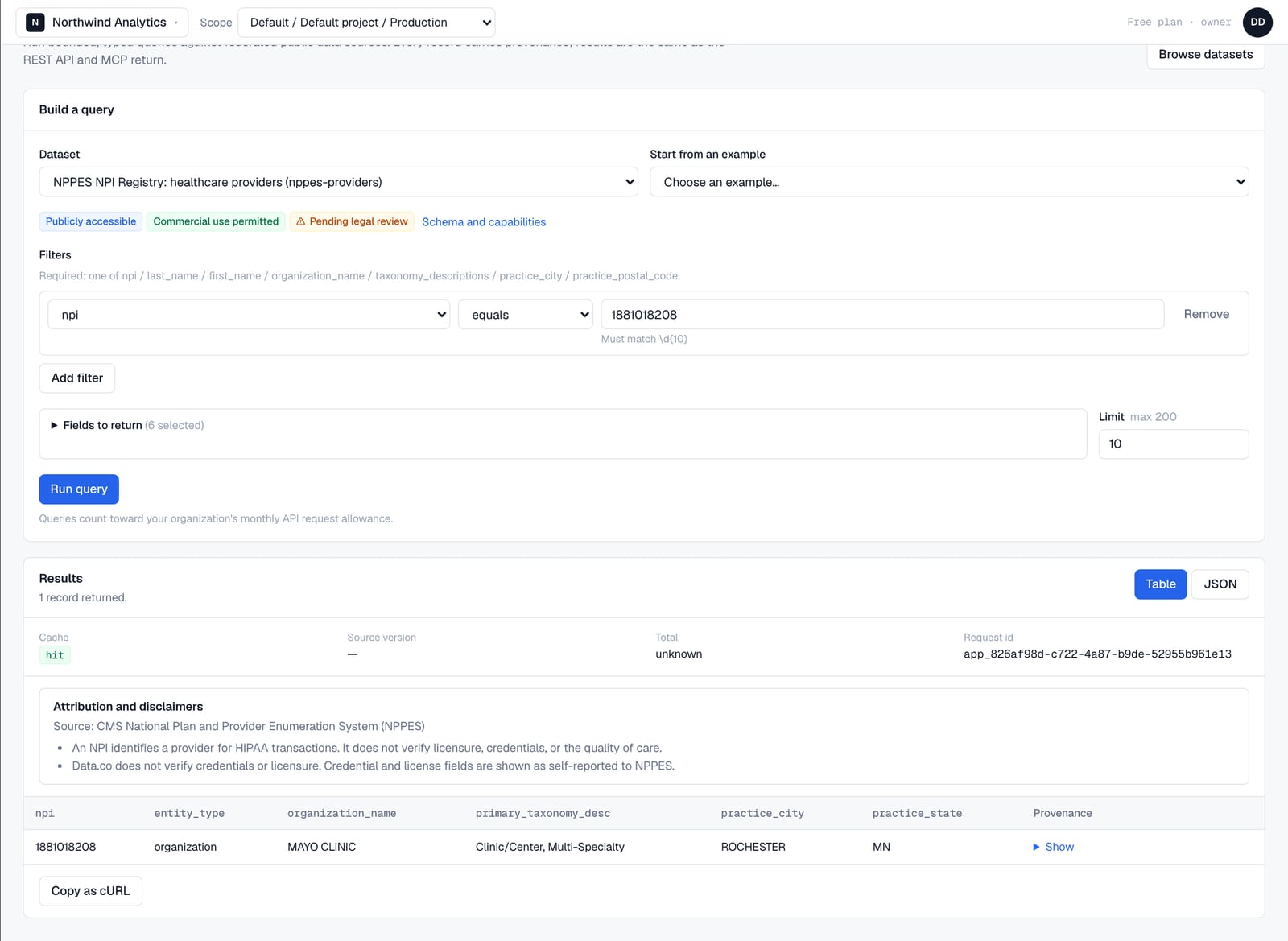
Provider data has a disclaimer that travels with every result. An NPI identifies a provider for HIPAA transactions. It does not verify licensure or credentials, and Data.co never presents it as if it did.
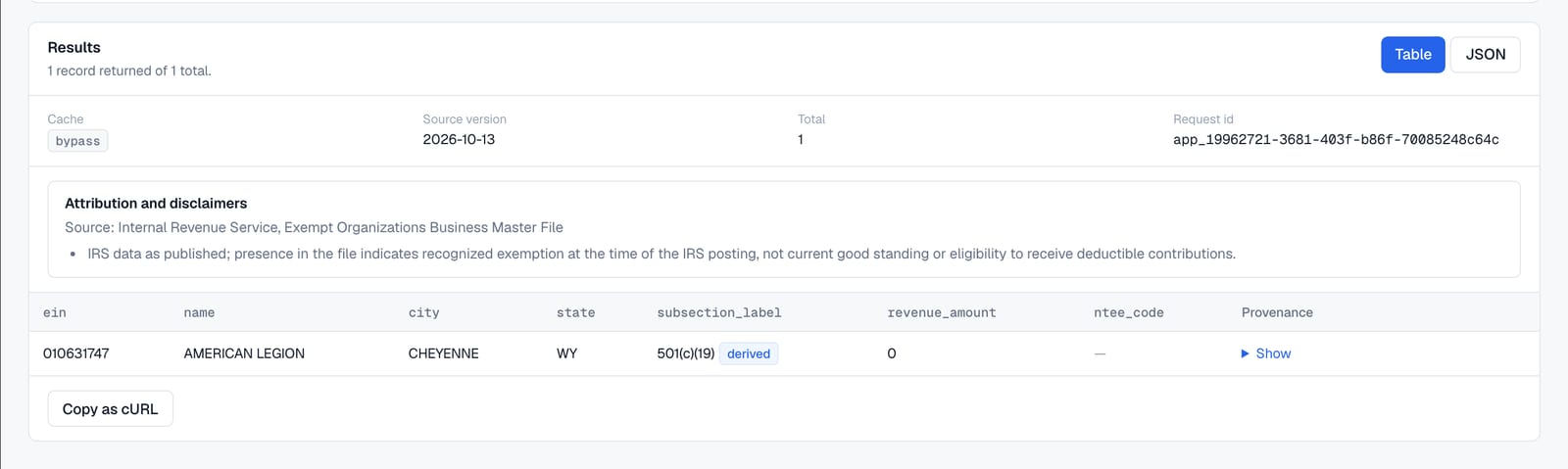
IRS records show the version of the file they were loaded from, so you know how current the record is.
The same data over the API and MCP
Everything in the console is available through the REST API with an API key from your organization settings:
curl -X POST https://api.data.co/v1/datasets/sec-financial-facts/query \
  -H "Authorization: Bearer $DATACO_API_KEY" \
  -H "Content-Type: application/json" \
  -d '{"filters":[{"field":"cik","op":"eq","value":"320193"},
               {"field":"concept","op":"eq","value":"RevenueFromContractWithCustomerExcludingAssessedTax"},
               {"field":"fiscal_period","op":"eq","value":"FY"}]}'
Responses include the records with provenance, plus cache status, source version, attribution and disclaimers. GET /v1/datasets/{id}/capabilities returns the same capability table the dataset page shows, and GET /v1/sources reports whether each source is enabled and healthy.
For AI agents, the Data.co MCP server at https://api.data.co/mcp exposes the same data as typed tools:
list_datasets,describe_dataset,query_datasetandget_data_source_statusfor any dataset;search_companiesandget_company_financialsfor SEC data;search_healthcare_providersandlookup_npifor NPPES;get_census_demographicsandsearch_banks.
An agent can discover a dataset, read its capabilities, and run a bounded query that returns typed JSON with provenance. Usage is metered once per call against the organization that owns the key.
Guardrails built in
- We're a good citizen of every source. Each source has its own rate limit, set at or below the provider's published policy. For example, we cap SEC requests at half the rate the SEC allows. Each source also has a circuit breaker, timeouts and a response-size cap.
- Credentials stay on the server. Upstream API keys are encrypted at rest and stripped from provenance, error messages and logs.
- Personal data is marked. Fields that identify people, such as practitioner names in the NPI Registry, are flagged in the schema so they can be handled accordingly.
- Licensing is part of the data model. Every dataset carries an explicit permissions record, and export stays off until a source's terms have been reviewed.
- Operators can pause anything within seconds. A source or a single dataset can be switched off as soon as a provider changes its terms or has an outage.
What's next
These five sources are the foundation. Next we're linking them. A company's SEC CIK, its EIN, a bank's FDIC certificate number and a provider's NPI should resolve to one entity, with every match explained and reversible. After that come more sources from our registry of 25, starting with USAspending, EPA ECHO and SAM.gov, plus sign-in through OAuth so AI assistants can connect to Data.co without a pasted key.
Sign in at app.data.co, open Explore Datasets, and run your first query. If there's a public source you'd like to see next, tell us.
Nate Nead is the founder of Data.co. He has spent more than fifteen years building and running digital businesses, and has founded and grown more than a dozen brands. Data.co came out of a problem he kept running into: organizations want the leverage of AI, but the data that makes it useful is exactly the data they can least afford to lose control of. He writes here about where AI governance actually lives — in identities, policies and audit trails rather than in prompts — and about what it takes to run private models inside infrastructure a company controls.